
Kieran Hooper-Warren
Founder @ Wahoo
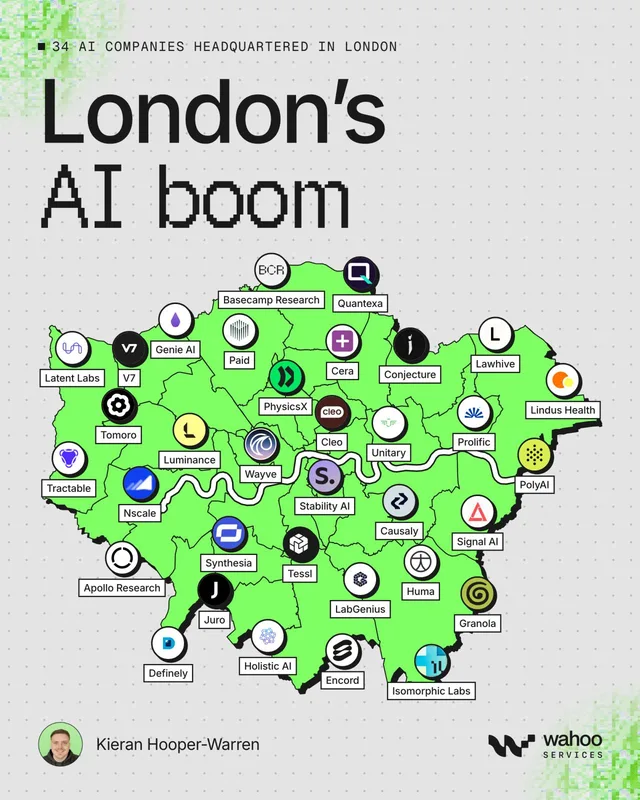
Silicon Valley is cool, but have you seen what's happening in London? The UK is the third-biggest AI market in the world, after the US and China, and most of it is in London.
90956 comments33 reposts
AI content design system
Want to use AI for your content and design, but don’t have clear brand rules for it to follow? Clarity Design Studio builds them first. We extract your brand from your website and turn it into templates based on the posts that reach your buyers. Then we set it up in ChatGPT, Claude or Gemini. You write the idea, and the AI makes it in your brand, as a still or an animated GIF. AI brand guidelines built from your real brand, not a generator’s guess.
40+ B2Bs worked with in Australia, the US, UK and Europe. Based in Melbourne.
By Naz Hashem, founder. Updated










You’ve started making content with AI, and it gives you the average B2B graphic.
The LinkedIn graphics don’t match the website, and the deck matches neither.
You have a brand PDF, but it was written for people. Your AI tools can’t follow it.
And posting less isn’t the answer either.
Measured from your live site (colours by use, type, spacing, your own graphics), plus the rules a post needs that a website doesn’t.
Based on the top-performing posts from B2B creators in your space, in your brand, in colour variations, as stills or looping GIFs.
The whole system as code (rules, tokens, every template, exports at each platform’s size), and one page with every logo, colour and file to download.
ChatGPT, Claude or Gemini. You write the idea; your AI picks the template that fits and makes the post in your style.

Case study
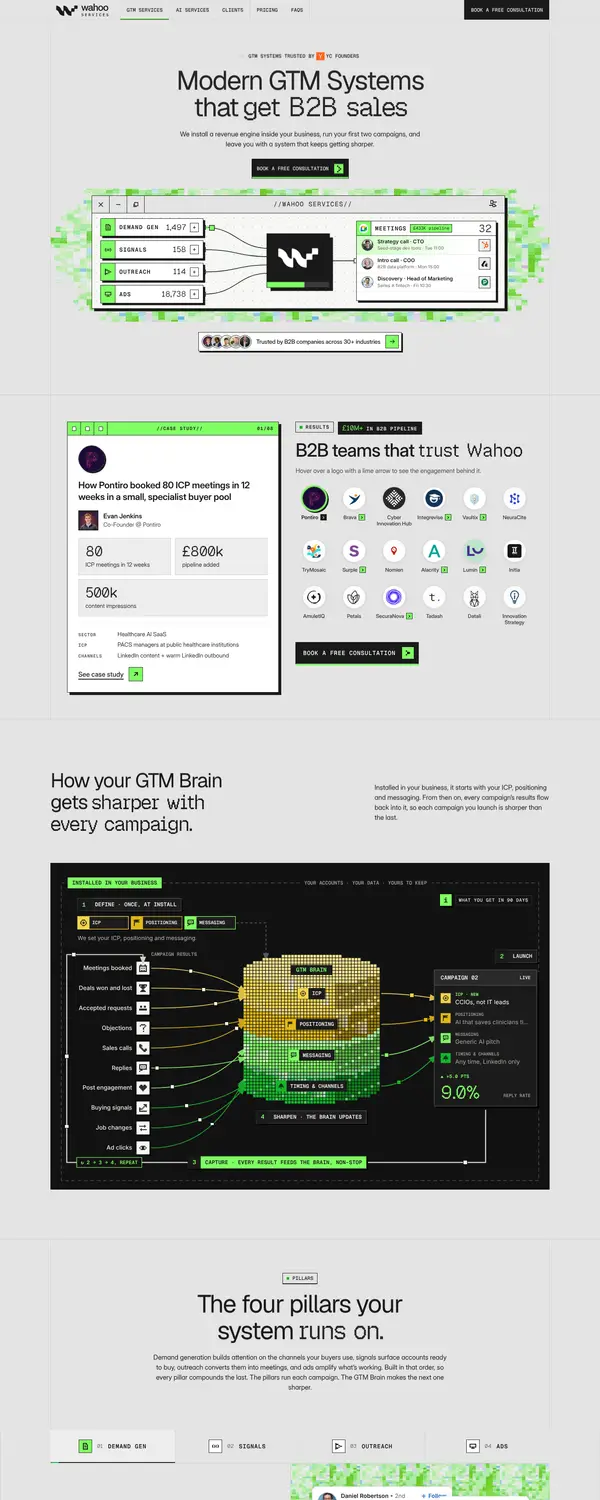
Kieran Hooper-Warren runs Wahoo Services, fractional GTM for B2B SaaS from pre-seed to Series A. We refreshed his brand and built his website. Then we turned the brand into a design system he uses with AI to make his LinkedIn visuals.
250k+
impressions a month within 30 days of launch, up from 5–10k
~1M
LinkedIn impressions in a month, with a few posts that went viral
No price arguments
Higher-quality clients booking through the site, who get the value
These results came from the whole project: the brand refresh, the new website and the design system.
In the video: Kieran explains how his LinkedIn impressions went from 5–10k a month to close to 1M in a month, with a few posts that went viral. He puts it down to the design system, which he uses with AI tools to make premium visuals fast. He also talks about the clients booking through the site: higher quality, and no longer arguing on price.
We refreshed Wahoo’s brand and built the website first. Then we took the design system from the live site and set it up for Kieran to use with AI.

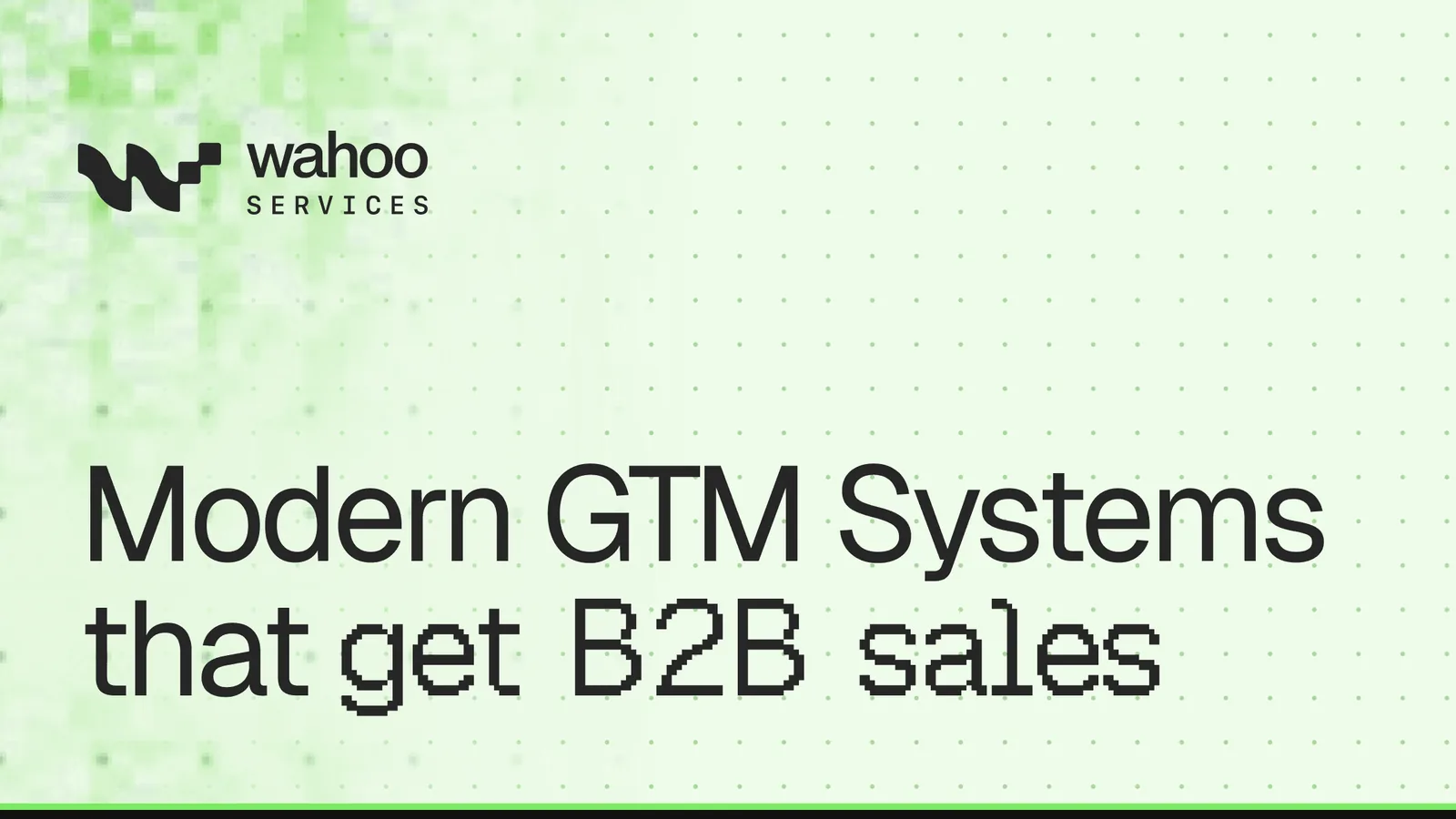 Pixel mosaic
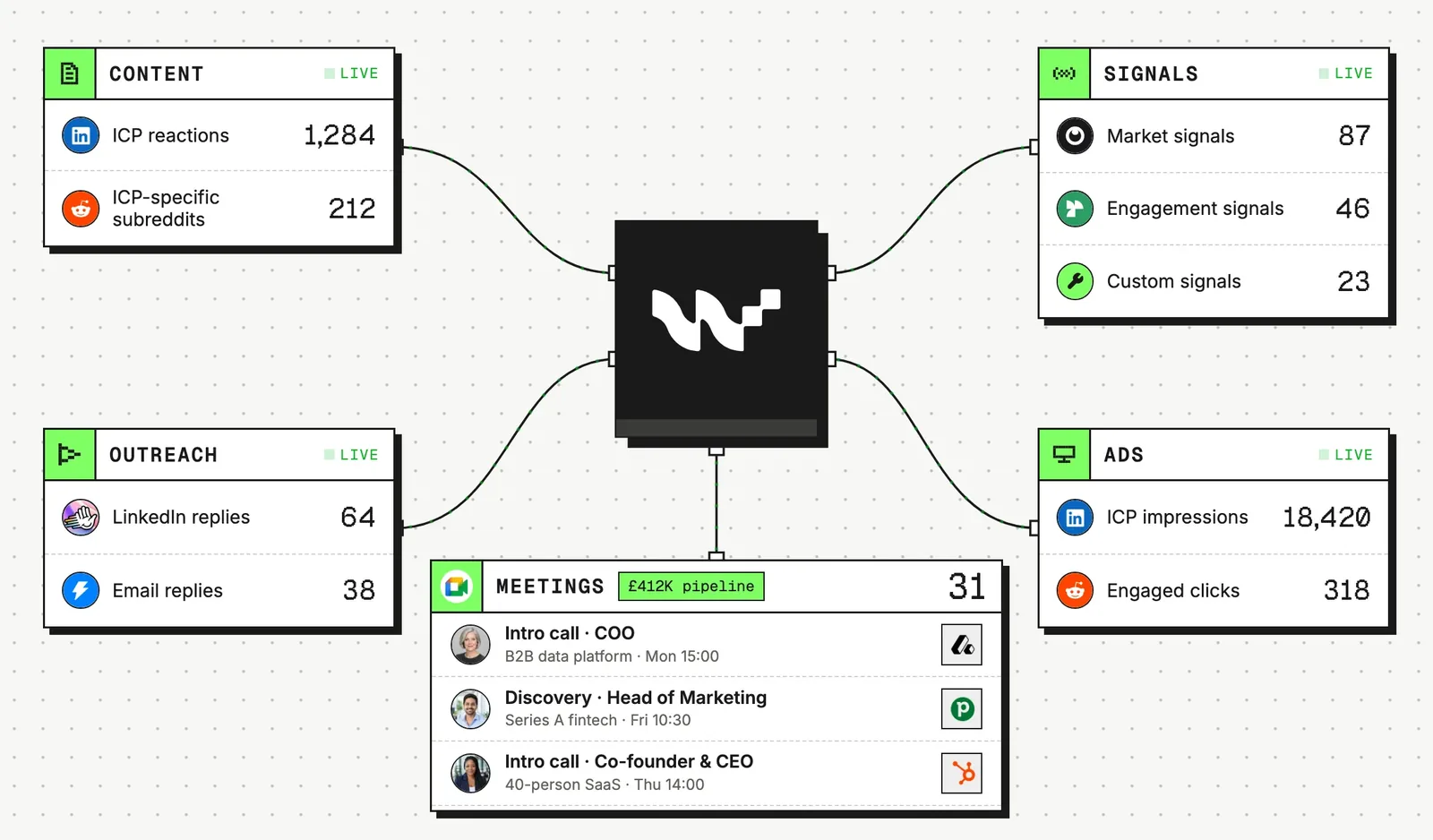 System diagrams
Posts from the last three months, all made with the design system in Claude. His maps of the AI startups building outside Silicon Valley did best: his top four drew 2,213 reactions, 150 comments and 90 reposts. The same system makes his animated diagrams, post breakdowns and funnels.
Kieran Hooper-Warren
Founder @ Wahoo
Silicon Valley is cool, but have you seen what's happening in London? The UK is the third-biggest AI market in the world, after the US and China, and most of it is in London.
Kieran Hooper-Warren
Founder @ Wahoo
This exact workflow has booked 135 meetings for my B2B clients in the last 30 days. Here's the full breakdown:
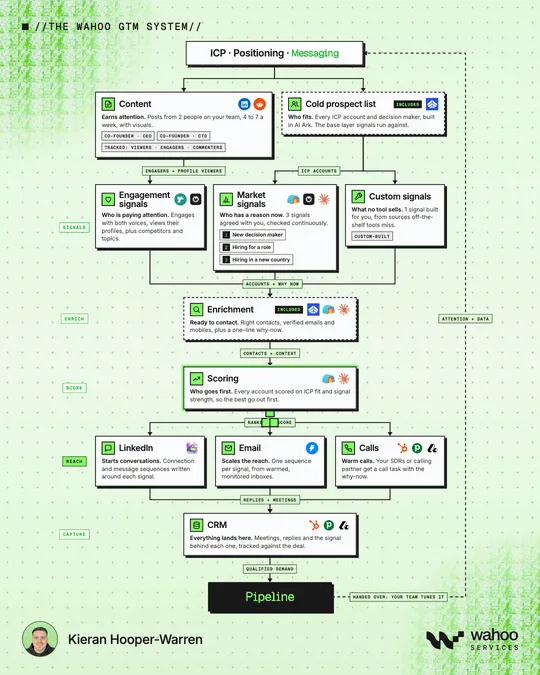
Kieran Hooper-Warren
Founder @ Wahoo
Silicon Valley is cool, but have you seen what's happening in Dublin? Bronto raised a $14m seed for log management built for the AI era. Dubsof raised $6.5m from BlueYard to connect AI tools to company data.
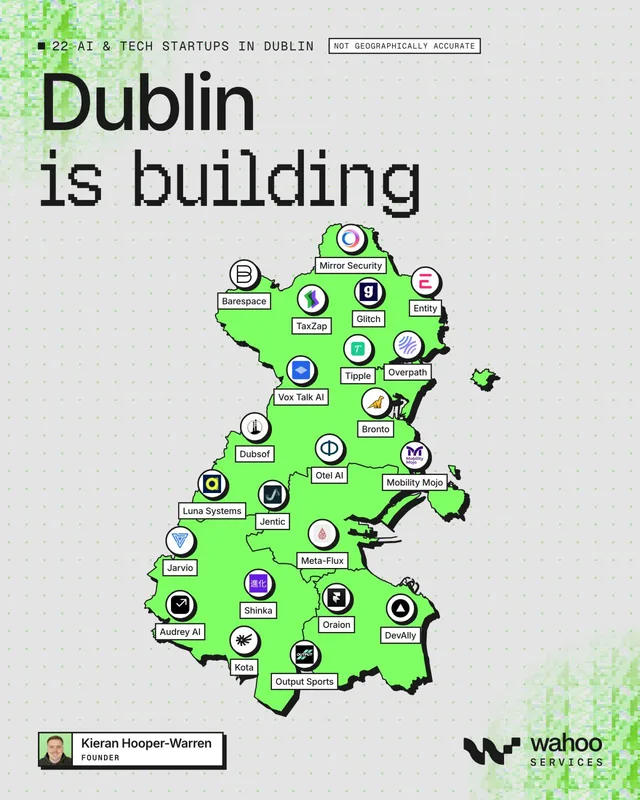
Kieran Hooper-Warren
Founder @ Wahoo
380 form enquiries → 150 ICPs → 70 meetings booked. Here's the complete anatomy of a successful lead magnet:
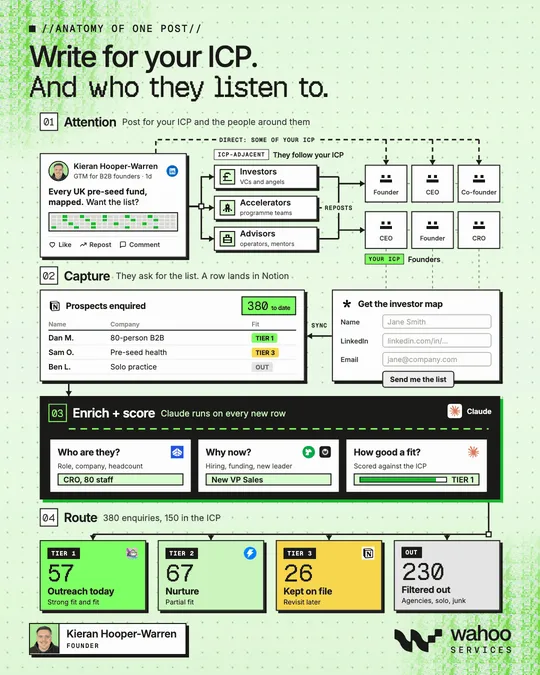
Kieran Hooper-Warren
Founder @ Wahoo
Silicon Valley is cool, but have you seen what's happening in Europe? THEKER Robotics raised an $85M Series A in Barcelona for AI robotics. DataCrunch raised €55M in Helsinki to build AI cloud infrastructure.
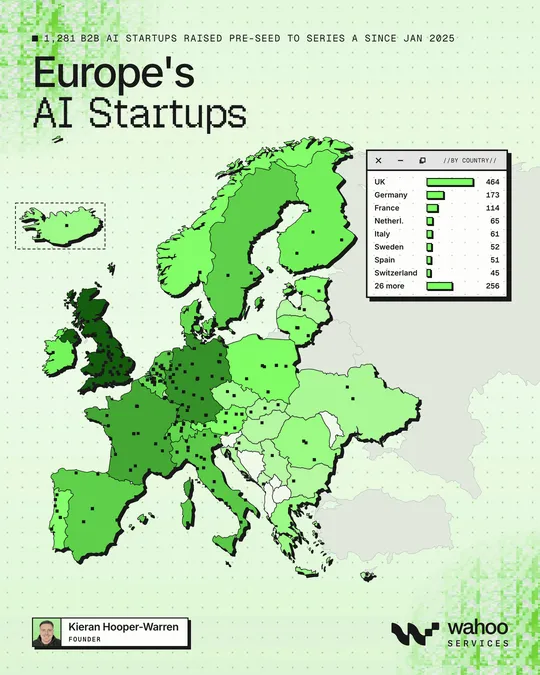
Kieran Hooper-Warren
Founder @ Wahoo
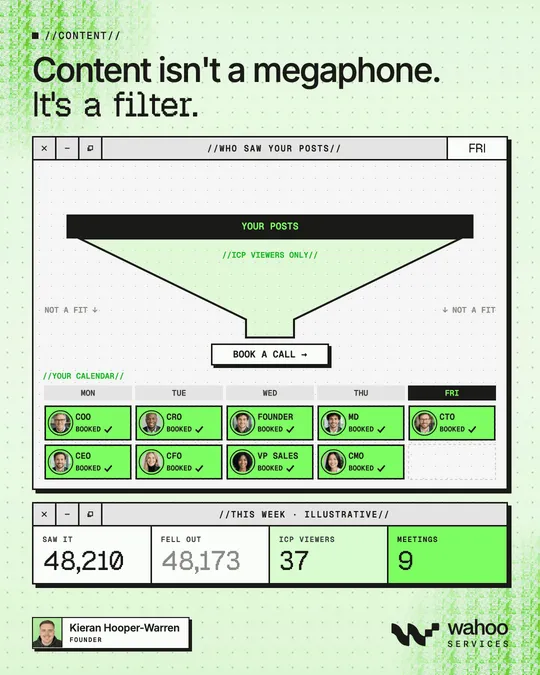
In old money, it was called demand generation. Now everyone just calls it content. LinkedIn, Reddit, a newsletter, YouTube, it doesn't matter which channel you pick.
Kieran Hooper-Warren
Founder @ Wahoo
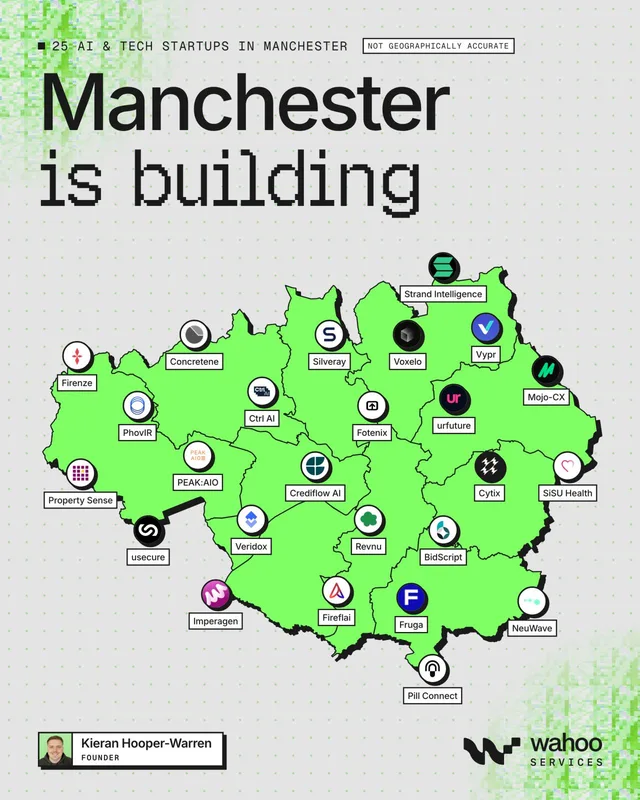
Silicon Valley is cool, but have you seen what's happening in Manchester? Imperagen raised a £5m seed to engineer enzymes with AI. Cytix raised a $7m Series A for its agentic security platform.
Kieran Hooper-Warren
Founder @ Wahoo
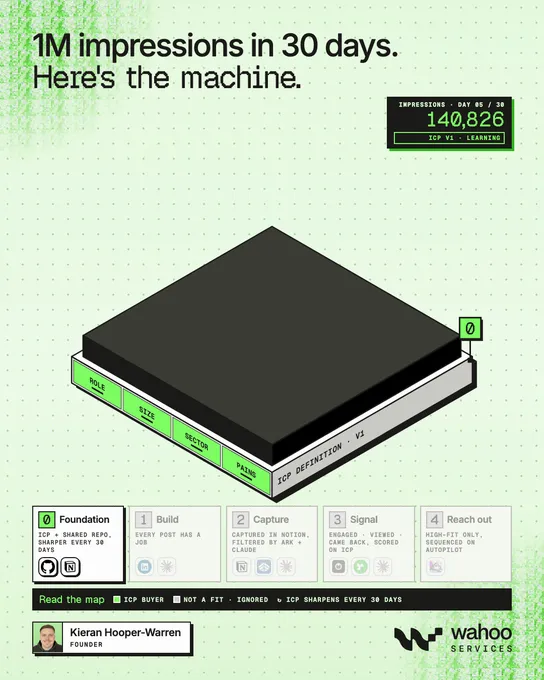
1,000,000 impressions on LinkedIn in the last 30 days. The impressions themselves don't pay for anything. But here's the machine that turns them into conversations:
Engagement as shown on LinkedIn on 27 November 2026.
“The return on investment is insane, and it’s only been 30 days. The clients clicking through to book are much higher quality, and they’re no longer arguing on price.”
Wahoo’s DIY website said what Kieran does, but not in a way that sold it. Prospects usually asked to see testimonials before anything else.
LinkedIn was his main channel, at 5–10k impressions a month. Wahoo was moving upmarket. Kieran wanted a brand and site that matched the clients he was going after. He also wanted LinkedIn visuals he could make himself, without starting from scratch each time.
Needed: On-brand LinkedIn visuals he can make himself with AI
What we did: Extracted the design system from the live site. It was then trained on the top-performing posts in his space. Kieran makes his visuals with it in Claude.
Needed: A brand and site that match the clients he’s moving up to
What we did: Refreshed the brand, then wrote, designed and built the new website in Framer.
Needed: Turn LinkedIn attention into booked calls
What we did: Testimonials and Calendly booking on the page, so visitors from LinkedIn can book straight away.
Want brand rules your AI can follow, like Kieran’s?
There are four common ways to get brand rules for AI. Here’s an honest view of each.
| Compared on | Clarity | Ask your AI tool | An AI brand guidelines generator | A content agency |
|---|---|---|---|---|
| Where the rules come from | Your real brand, measured from your site | Whatever you describe in a chat | A guess from a few inputs | Their house style, unless you bring rules |
| Templates from what reaches buyers | Yes, researched in your space | No | No | Sometimes |
| Who makes the posts after | Your team, with your AI tool | Your team | Your team | The agency, every month |
| Best for | Teams that post often and want it to look like them | Quick one-offs | Side projects | Teams that want posts done for them |
We measure your brand from your website and write the rules.
We find the creators your buyers engage with and the posts that reach them.
A template for each post type, in your brand, still and animated.
Set up in your AI tool, with the repo, the brand portal and the first posts made with you.
A brand designer, not a content agency or another AI tool. If your brand is already clear, we extract the rules from it and set them up for your AI. If it isn’t, we design the brand first and build the rules as part of the same project.
For a side project, yes. A generator guesses a brand from a few inputs, so your AI then scales the guess. We build the guidelines from your real brand and test them on real posts.
Your brand rules written for AI, and a template for each post type, still and animated. A GitHub repo with the whole system as code. A brand portal with every asset to download. All of it set up in your AI tool, and you own all of it.
Yes, that’s most of it. LinkedIn first, with each platform’s sizes and the parts of the image it covers built into the templates.
ChatGPT, Claude (including Claude Design, which can save a design system) and Gemini.
No. If your website already uses your brand well, we extract from it. If your brand is DIY or the site is a template, we’d start with the brand, because the system can only scale what’s there.
We can’t promise reach. What it does is make every post look like it came from a firm your size, consistently. Kieran’s results came from his content and consistency as well as the design.
A brand as established as you are
Who to hire for your brand rules, and what we learnt from posts that reach buyers
Framer, Webflow or custom code
When building your B2B website in-house with AI makes sense, when it’s worth hiring externally, and what to look for in a partner.
What’s your next move?
Tell us about your brand and how your team uses AI. We’ll talk through what your rules and templates would cover, and scope it on a call.
“It felt like I was partnering with an expert not only in web design and development, but with a product marketer with deep experience in my industry. Plus, in my opinion, the pricing is an absolute steal!”